PrivacyBrew for your browser shows who sees your visit to each website. It blocks trackers and ads. All checks stay in your browser.
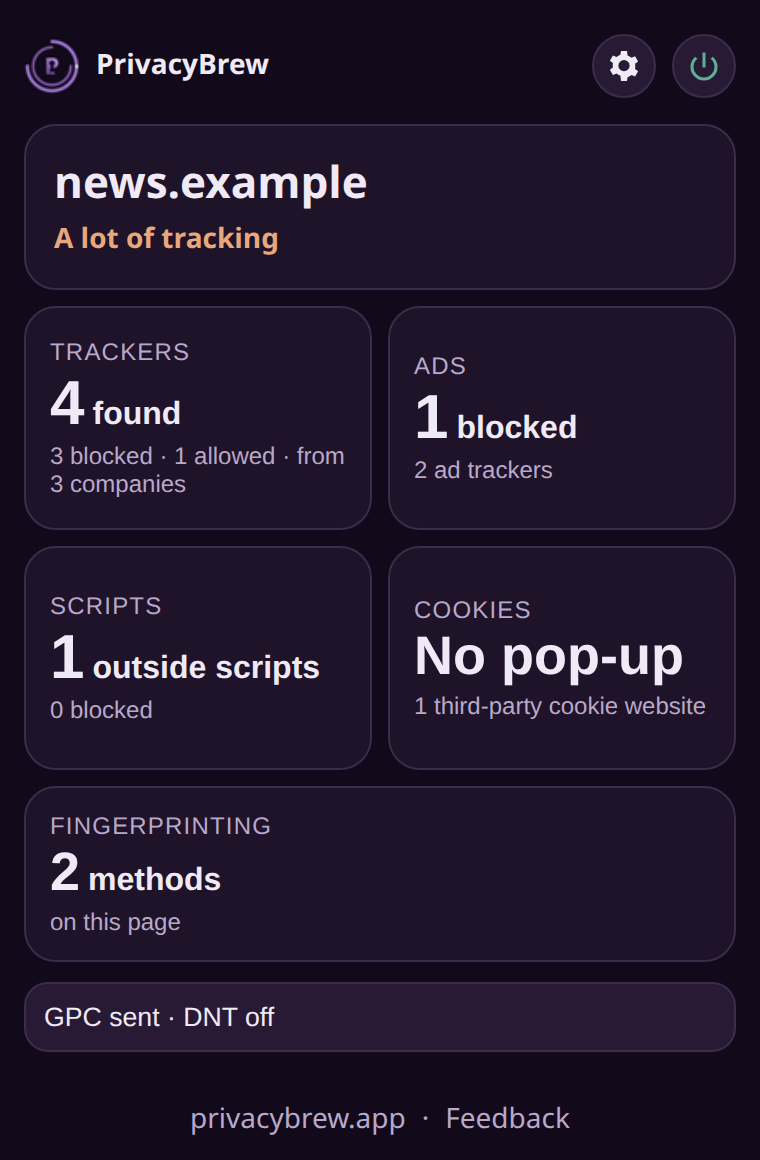
The extension on a test page
Open the extension on any website. You see who saw your visit, and what PrivacyBrew stopped.
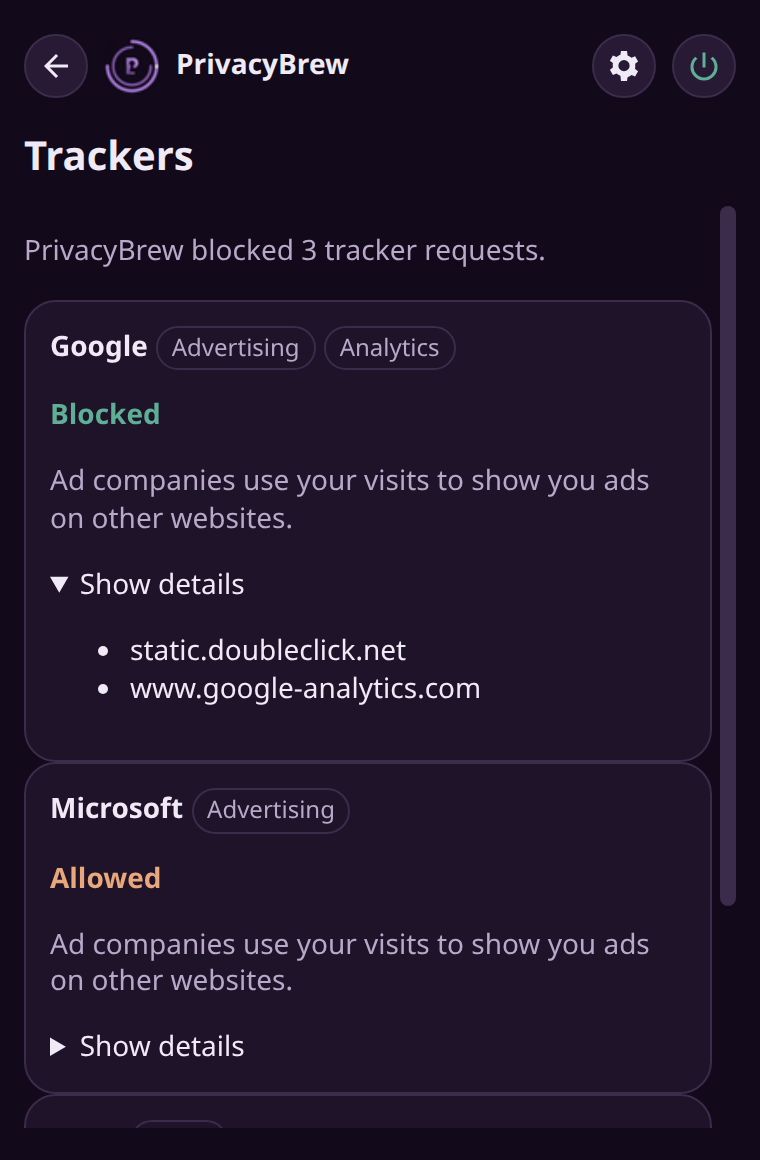
Trackers, ads, outside scripts, cookies and fingerprinting. Each with a short line about what it means.
Known trackers and ads do not load. Pages often load faster.
It selects "Reject all" or keeps only necessary cookies. It never selects "Accept all".
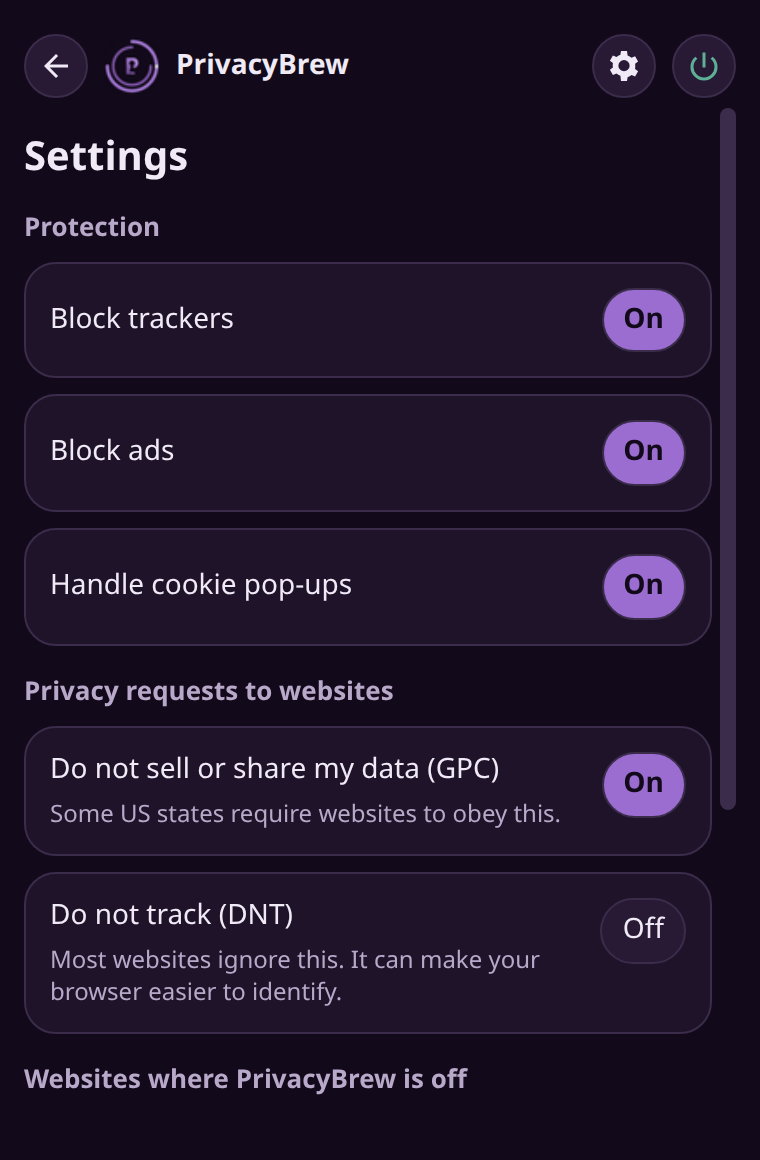
It sends Global Privacy Control to each website. In some US states, websites must obey it.
Is a website broken? Turn off blocking for that website only. Each feature has its own switch.
A tracker list and an ad list ship inside the extension. Nothing is looked up online.
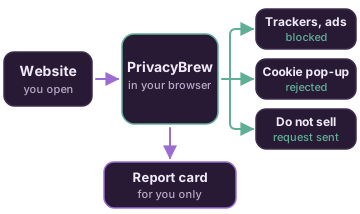
Chrome stops matched requests. Cookie pop-ups get "Reject". Each website gets a "do not sell" request.
The report card shows what happened. Only you see it. It resets when you open a new page.
Trackers on many websites record your visits. Ad companies use that record to choose the ads that you see. Most blockers show only a number. PrivacyBrew also tells you what each tracker is and why it is important.
It does not send your data anywhere. It has no account and no analytics.
It does not keep your browsing history. Each report is for the open page only.
It finds known trackers and ads only. It cannot block all video ads.
Some websites can break. Turn off blocking for that website.
Lists: Disconnect tracker list (CC BY-NC-SA 4.0), EasyList. Cookie pop-up rules: DuckDuckGo autoconsent (MPL-2.0).
Free on the Chrome Web Store. Works in Chrome, Edge and Brave.