Some of what your apps can access will surprise you. PrivacyBrew shows you what, in plain language, right on your device.

Everything below runs the moment you open the app — no setup, no waiting, no account to create.
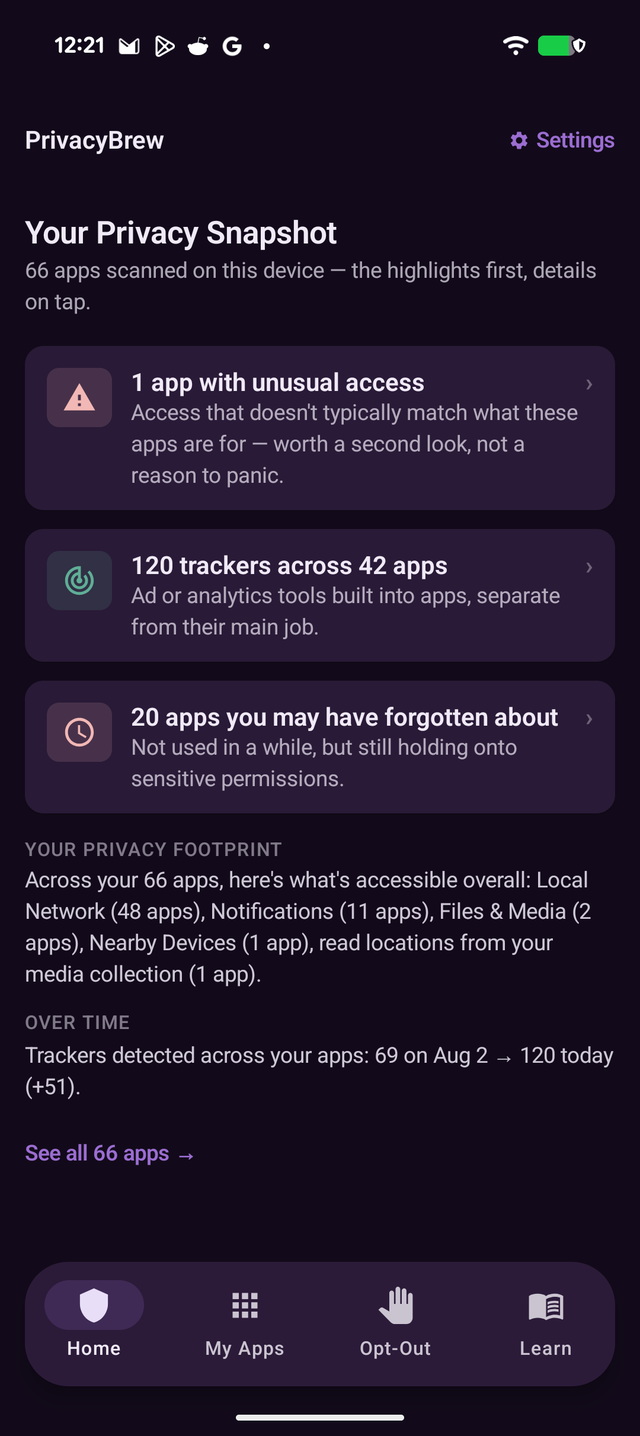
Every app scanned at a glance — unusual access, tracker counts, and apps you may have forgotten about, surfaced first so you know exactly where to look.

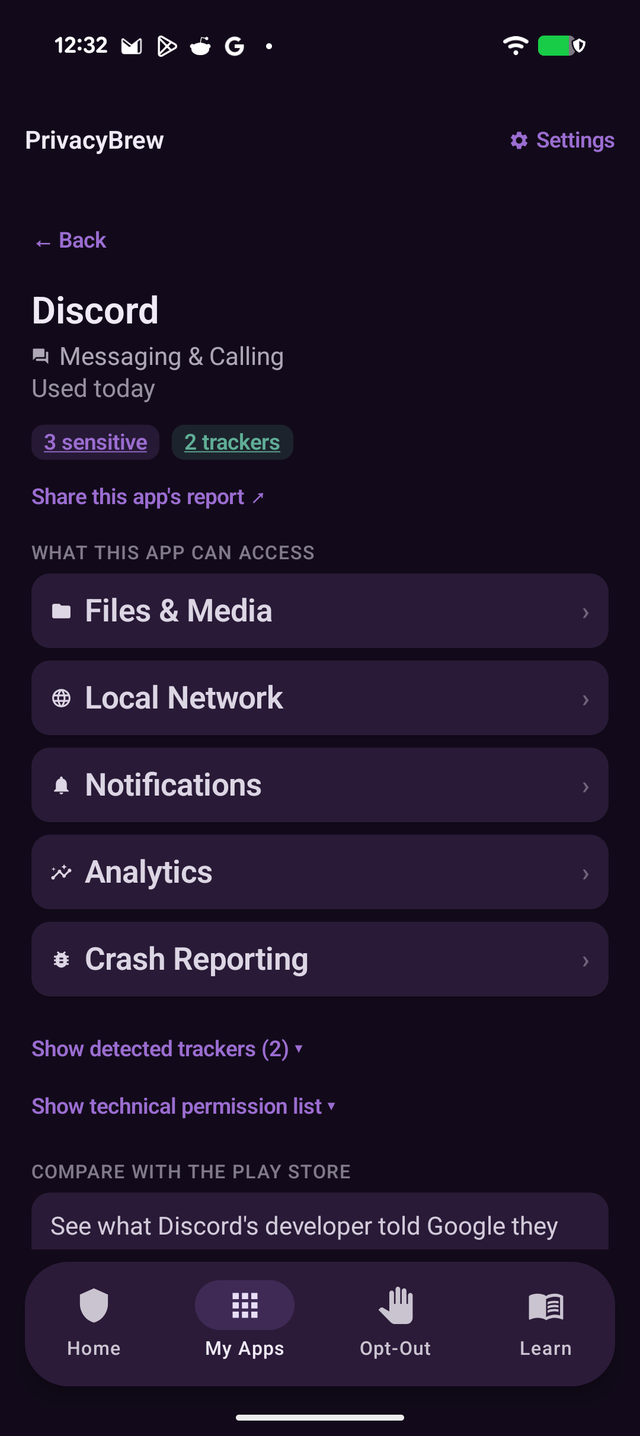
Tap any app to see exactly what it can access, which parts are unusual for what it does, and open the Play Store's "Data safety" listing side by side to compare for yourself.

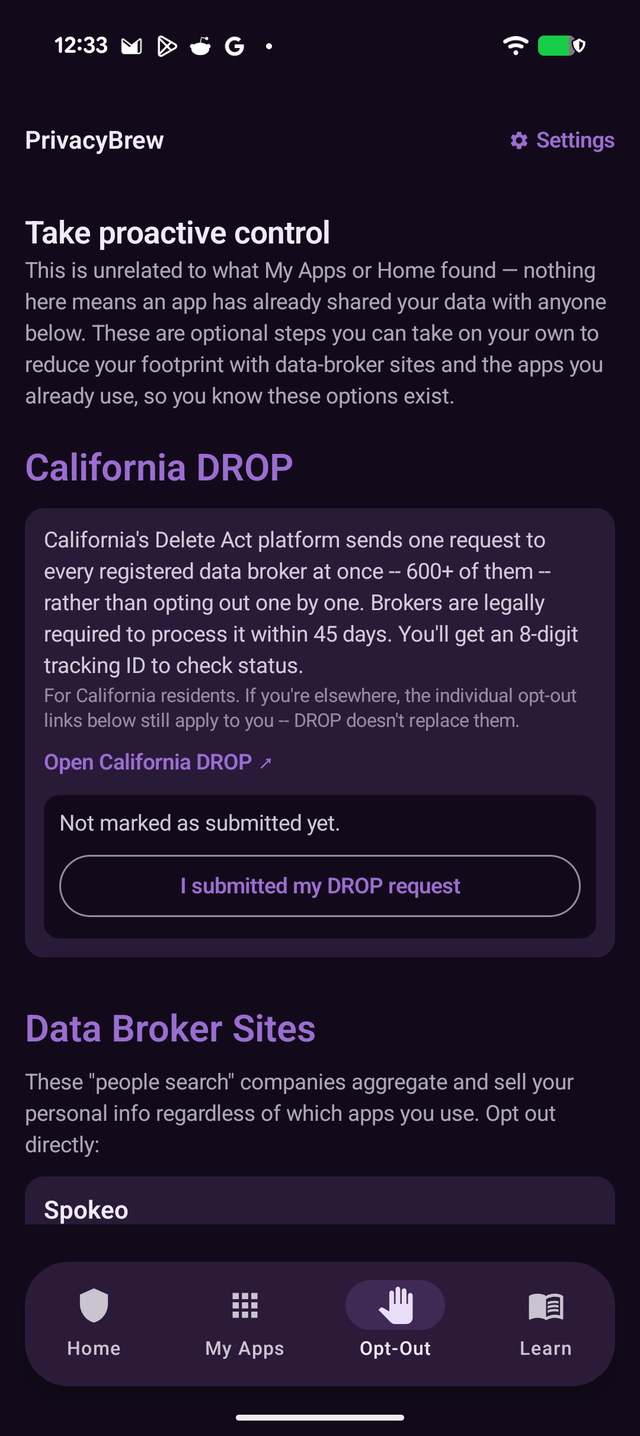
Direct links to the "people search" sites that sell your info regardless of which apps you use — optional steps, laid out plainly.

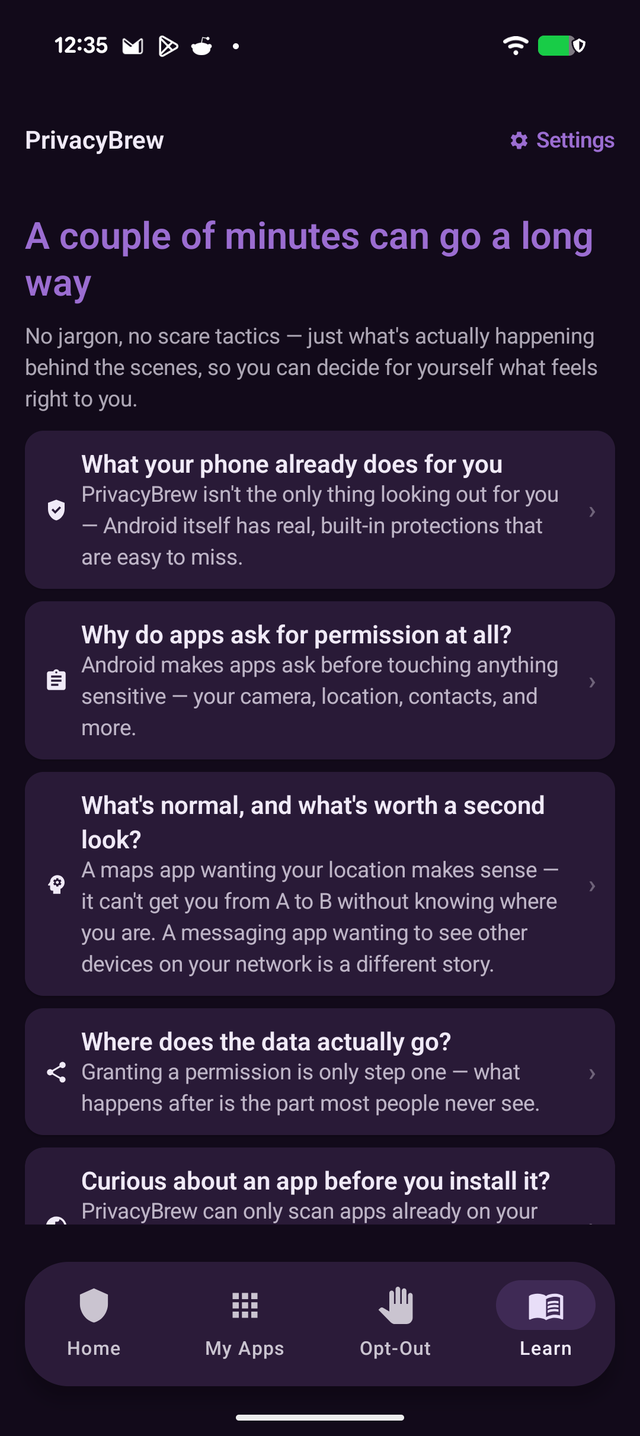
No jargon, no scare tactics — short answers to the questions people actually have about permissions and where data goes.

A messaging app wanting your camera makes sense. A flashlight app wanting your contacts doesn't. We flag the mismatch, not every permission.
PrivacyBrew has no INTERNET permission — it is technically incapable of sending anything anywhere. Core results are computed fresh from your device's current state each time, with only a small amount of local, on-device caching for things like preferences and trend history.
Data has become one of the defining currencies of the AI era — and the phone in your pocket is one of its richest sources.
Most of it is gathered quietly. Every recommendation engine, ad platform, and AI model runs on data — and it usually only surfaces where regulators require it: the "Data safety" label buried in a Play Store listing, easy to scroll past during an install.
But not every access is a red flag. A maps app needs your location — it can't route you anywhere without it. A video-calling app needs your camera and microphone — that's the entire feature. The real question isn't whether an app asks for access, it's whether that access matches what the app is actually for.
Can't get you from A to B without knowing where "A" is.
That's not extra access — that's the whole feature.
Sometimes it's for finding nearby devices — it can also be used to fingerprint what else is on your network across apps.
Fine if it scans documents or codes. If it doesn't do either, that access may be broader than you'd expect — worth a closer look.
PrivacyBrew doesn't tell you an app is guilty — it tells you what's unusual for what an app does, and lets you decide. The goal is awareness, not alarm. See how it works ↓
PrivacyBrew asks Android's PackageManager for the apps installed on your device and their already-granted permissions — plain system metadata, not access to what's inside those apps.
Raw permission strings become plain sentences: what an app can access, whether that's typical for what it does, and how many trackers were detected inside it.
Jump straight to the right Android Settings page to revoke access, check an app's Play Store data-safety label, or opt out of a data broker — all optional, all up to you.
Most permission-audit tools stop at a list of technical strings. PrivacyBrew is built around the question people actually ask next.
Still in development — sharing it early rather than staying quiet until it ships.
iOS doesn't expose the same permission APIs Android does, so the iOS app focuses on education and guided links straight to the right page in Settings.
A master-detail view for larger screens, so the app list and an app's detail can sit side by side instead of swapping full screens.
An opt-in Material You mode that pulls its color palette from your wallpaper instead of PrivacyBrew's own brand colors.
PrivacyBrew is being tested ahead of its Google Play launch. The Privacy Policy below is live today and describes exactly what the shipped app will and won't do.
Read the Privacy Policy